


- Katılım
- 23 Eki 2022
- Mesajlar
- 5,997
- Çözümler
- 10
- Tepkime puanı
- 3,567
- Puanları
- 113
- Yaş
- 28
Learn how to fix the "SRO Launcher has stopped working" or disappearing issue in Silkroad Online using DEP (Data Execution Prevention) settings. This guide explains step-by-step how to add launcher exceptions, prevent crashes, and ensure stable client startup on all vSRO and private servers.
Fix SRO Launcher crash or disappearing problem using DEP settings and run Silkroad Online client without errors.
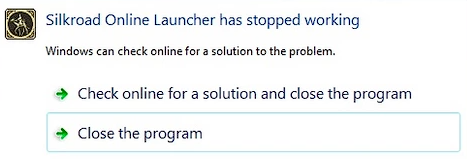
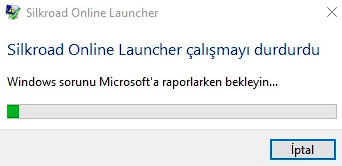
If you're experiencing this issue "SRO Launcher has stopped working", you can follow the instruction in this thread.
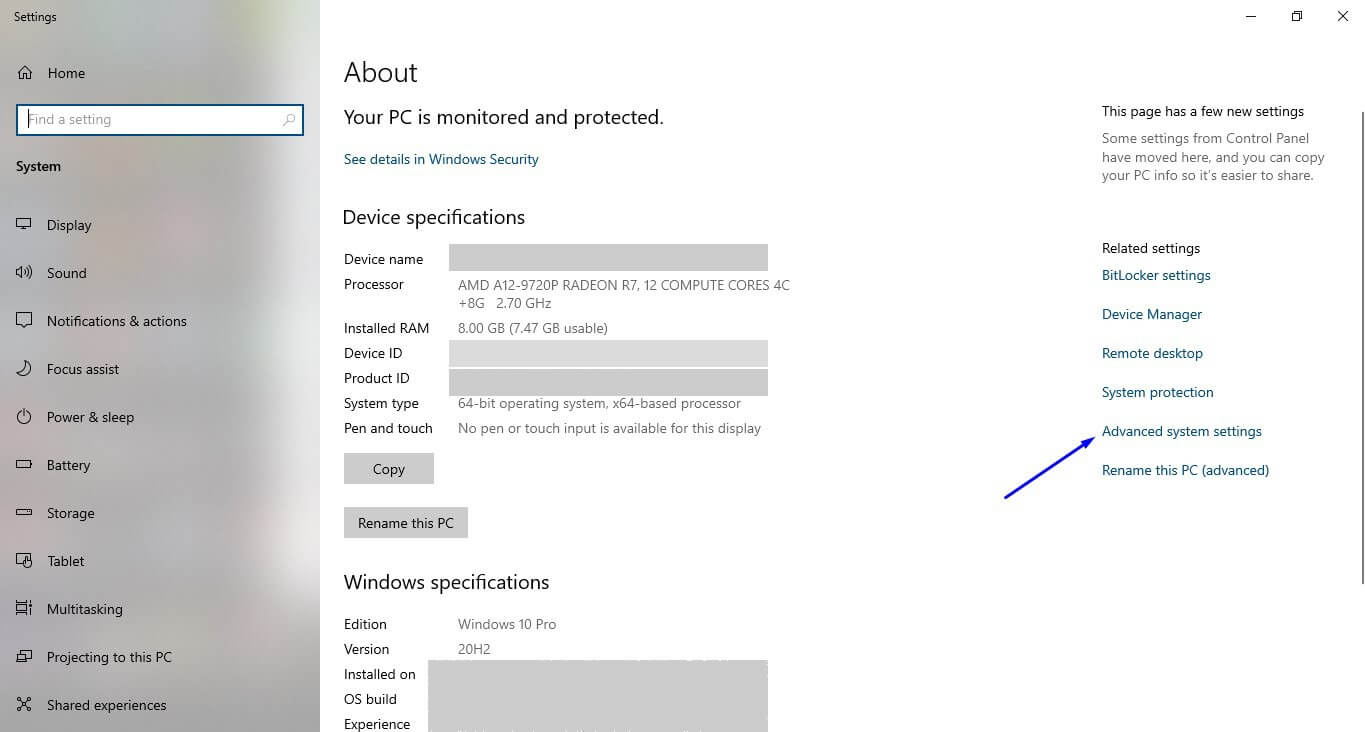
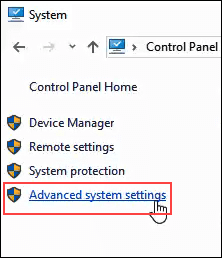
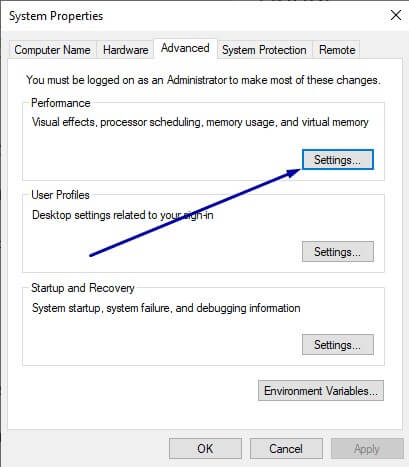
1) Click System and Security > System > Advanced System Settings.
2) Once you are on the Advanced tab click Performance Settings.
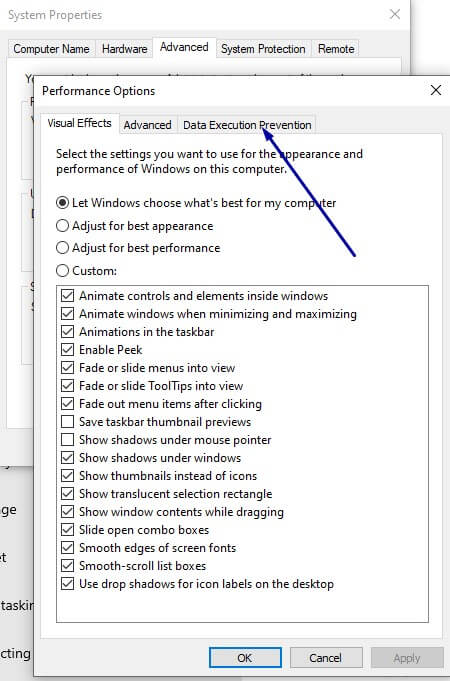
3) Click the tab called Data Execution Prevention.
4) Select Turn off DEP for all programs and services except those I select: and add all your .exe files in your SRO folder.
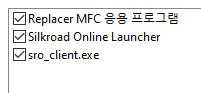
(replacer.exe, silkroad.exe, sro_client.exe)
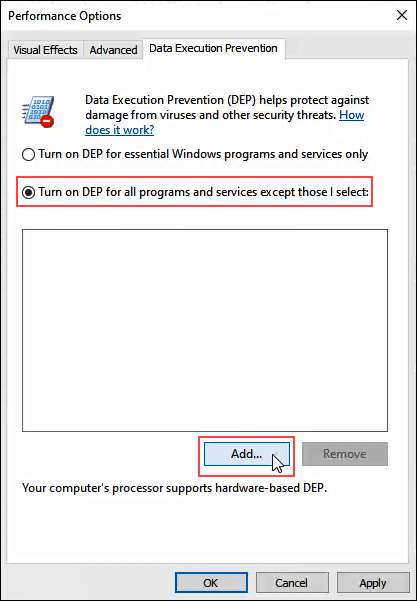
5) Click Apply and restart your computer.
6) Have fun!
Fix SRO Launcher crash or disappearing problem using DEP settings and run Silkroad Online client without errors.
If you're experiencing this issue "SRO Launcher has stopped working", you can follow the instruction in this thread.
1) Click System and Security > System > Advanced System Settings.
2) Once you are on the Advanced tab click Performance Settings.
3) Click the tab called Data Execution Prevention.
4) Select Turn off DEP for all programs and services except those I select: and add all your .exe files in your SRO folder.
(replacer.exe, silkroad.exe, sro_client.exe)
5) Click Apply and restart your computer.
6) Have fun!
